SHACL — Constraints
SHACL (Shapes Constraint Language) is how CGMES and ENTSO-E express the data-quality rules that an exchange file must satisfy: "every ACLineSegment must have exactly one length", "every Terminal must reference a ConductingEquipment", and so on. RDFArchitect can generate, import, edit, view, and export SHACL rules; validation of instance data is done outside RDFArchitect.
Two sources of SHACL
RDFArchitect distinguishes two kinds of shapes and stores them separately:
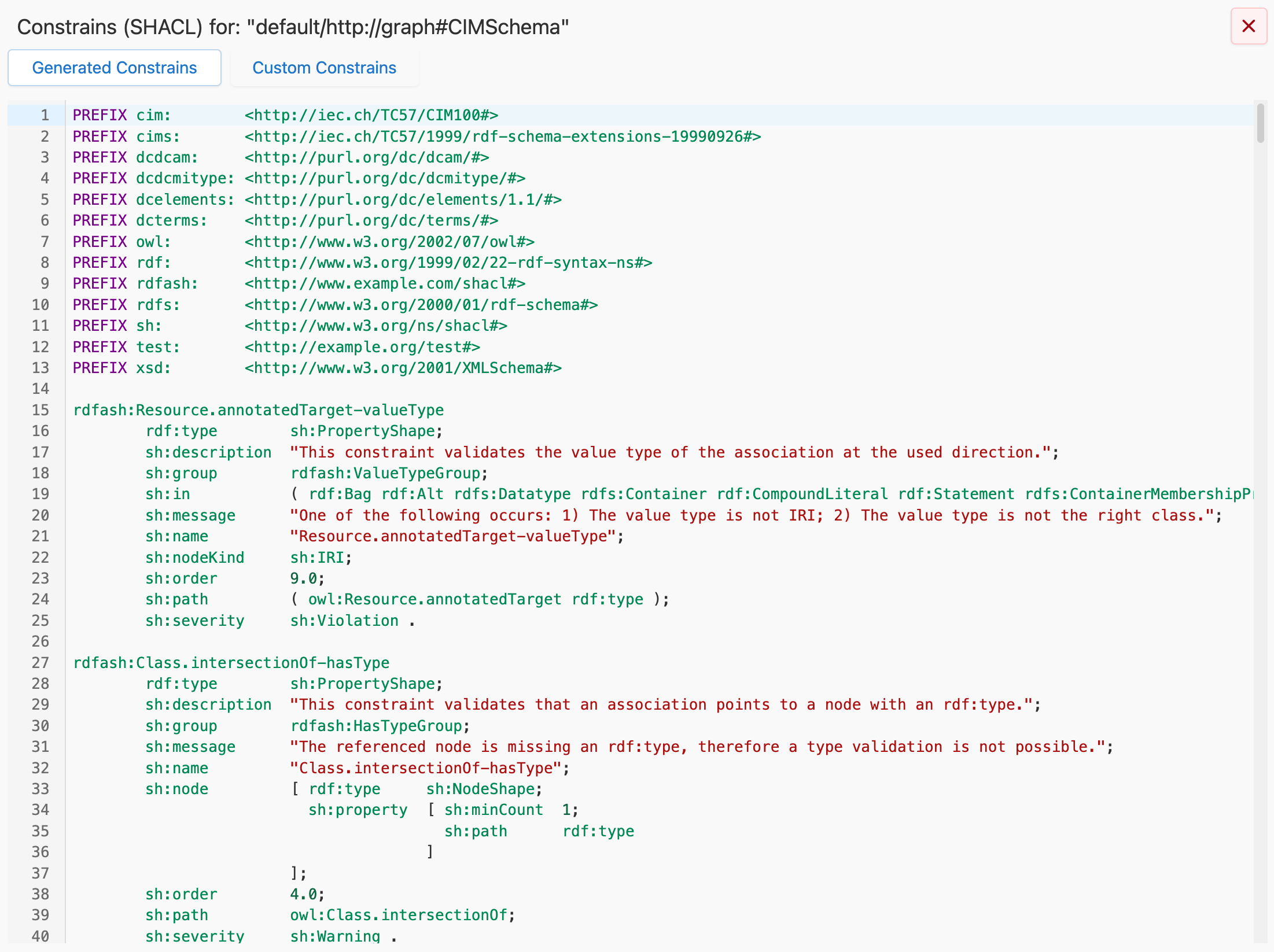
- Generated SHACL. SHACL shapes that can be derived from the schema itself. They include, among other things, constraints for the multiplicity of associations and the datatype of attributes. This set is always in sync with the current state of the graph.
- Custom SHACL. Shapes that you import or author separately — typically the official SHACL files that ship with a CGMES or ENTSO-E release. These can be edited freely in RDFArchitect and are not regenerated when the schema changes.
When you view SHACL for a graph, both sets are shown and clearly labelled.
Viewing SHACL at graph level
View → View Constraints (SHACL) opens the full-view dialog. Two tabs: Generated (read-only TTL output) and Custom (editable TTL). The custom tab has inline TTL syntax highlighting and can be saved after editing.
Viewing SHACL at class level
In the class editor, every attribute and association row has a SHACL icon. Clicking it opens the property-specific constraints (SHACL) dialog — the subset of both generated and custom shapes that target that exact property on that exact class. This is by far the fastest way to answer the question "what constraint is enforced on this attribute?" without leaving the class you are looking at.
A similar dialog exists at the class level to inspect the NodeShapes and the PropertyShapes related to the properties of the selected class.
Importing custom SHACL
File → Import → Constraints (SHACL) uploads a SHACL file into the currently selected graph. Supported formats are the same as for schema import (TTL, RDF/XML, N-Triples); TTL is the default and recommended format.
Exporting SHACL
File → Export → Constraints (SHACL) downloads a SHACL file. The dialog asks which workspace and graph to use, which parts to include (generated, custom, or both), and in which format. TTL is the default.