Editing Classes
The class editor on the right-hand side is the main surface for modelling work. It is laid out so that everything about a single class is reachable from one scroll, without navigating away.
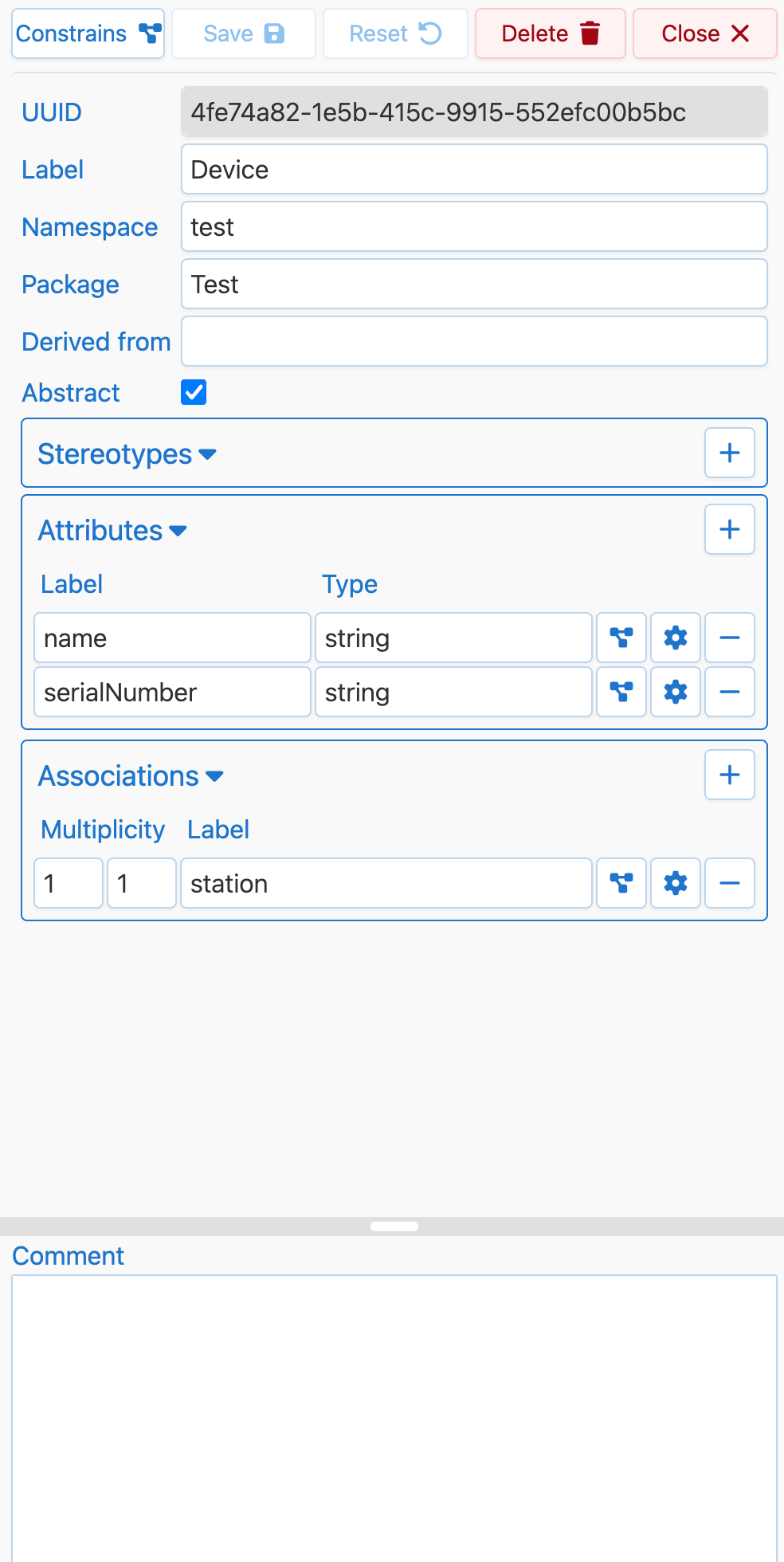
What you can edit
- Label and URI namespace. The human-readable name and the namespace it lives under. The editor enforces uniqueness for the label and namespace combination and flags invalid characters inline.
- Package. Moves the class between packages in the current graph.
- Super class. Sets or clears inheritance. The picker shows all classes from the current graph and any external packages it references.
- Stereotypes. CIM uses stereotypes heavily (
«enumeration»,«CIMDatatype»,«Primitive»,«Compound», etc.). The editor offers stereotypes already used in the graph and shows selected stereotypes in the diagram above the class name. - Comment. Free-text description, rendered as AsciiDoc in the class editor so that lists, code snippets, and links are formatted sensibly when reading back a profile.
- Attributes. Data-typed properties. Each row defines a local name, URI namespace, datatype or enum range (CIM primitives, CIM datatypes, enumerations, or XSD types), cardinality, a fixed value if any, and a comment.
- Associations. Links to other classes. You set the target class, role name, multiplicity, inverse role name, and a comment.
- Enum entries. Present only when the class has the
«enumeration»stereotype. Each entry has a label, URI, and comment and is ordered in the list. - Constraints (SHACL) on a property. Every attribute and association row has a small icon that opens the property-specific constraints dialog (see SHACL).
Validation as you type
The editor does not wait for save to tell you something is wrong. Duplicate labels within the same namespace, empty required fields, duplicate attribute names, and invalid URI components are reported directly at the affected fields as you type. The Save button stays disabled while there are unresolved issues.
Discard or save unsaved changes
If you switch classes while there are unsaved edits, RDFArchitect asks whether to save the current class or discard the pending changes before opening another class. Saving commits the edits to the current class; discarding drops them.