Comparing Schemas
View → Compare Schemas opens the compare dialog. There are three comparison modes:
- Stored ↔ Stored. Compare two graphs already loaded in RDFArchitect — typical case: comparing two CGMES releases you have imported side-by-side, or a working copy against a pristine baseline.
- Uploaded ↔ Stored. Compare a file on your disk against a stored graph — useful when checking a proposed new version from an external party against the version you currently have.
- Uploaded ↔ Uploaded. Compare two files on disk, no storage needed.
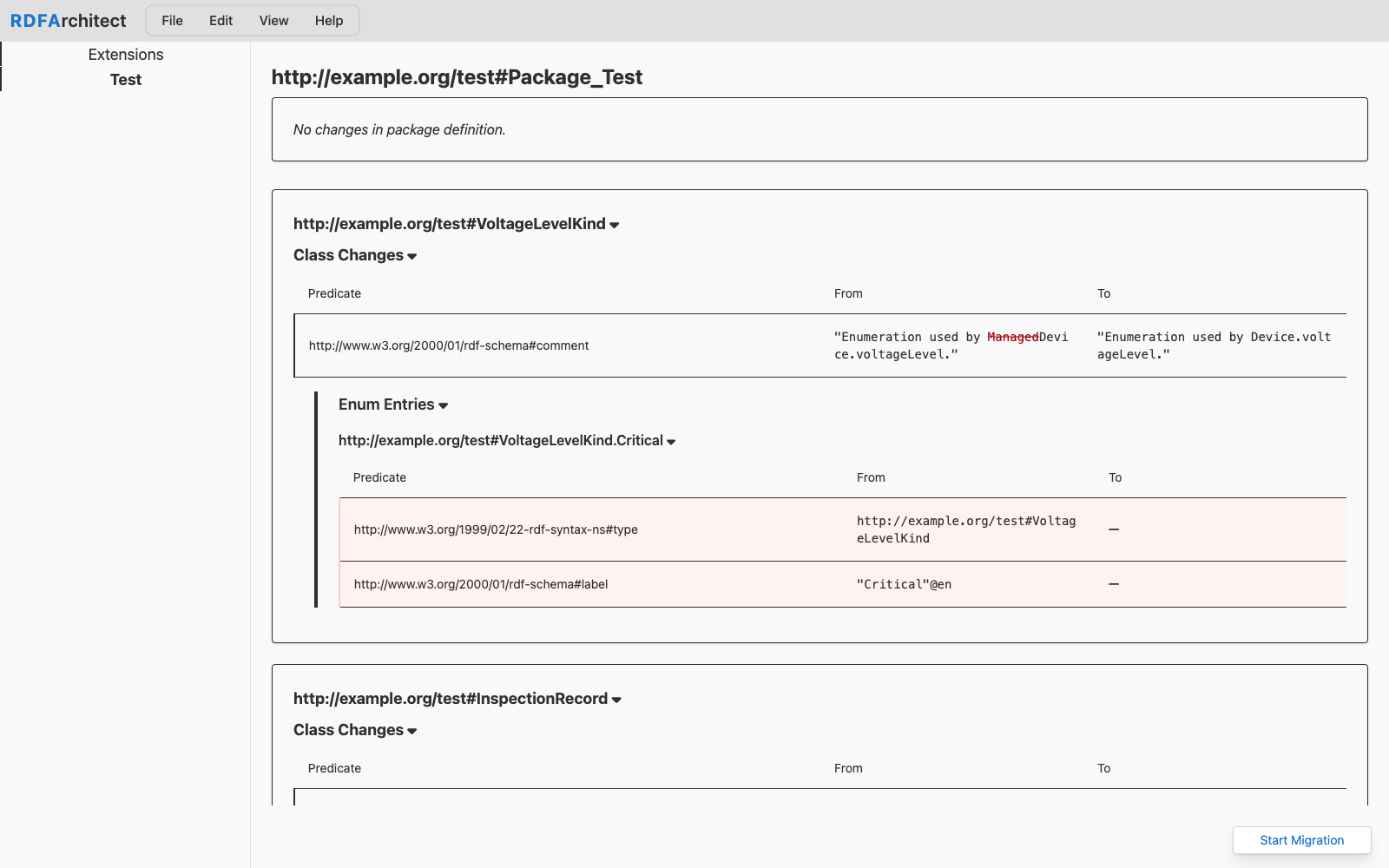
The result is a structured change list grouped by package and then by class, with badges for added, removed, changed at every level (package, class, attribute, association, enum entry, comment). A class change expands to show exactly which attributes or associations moved. Comment changes are whitespace-normalised, so pure reformatting does not pollute the diff.
The compare view is the recommended starting point when planning a migration.