Reviewing Changes — Changelog, Undo, Restore
Every edit you make to a graph is tracked. Three features make this tracking visible and reversible.
Undo / Redo
Cross-cutting, session-level undo and redo for graph edits — class, attribute, association, enum entry, package, and ontology changes — is available from Edit → Undo / Redo or with Ctrl+Z / Ctrl+Y. There is no per-entity undo history; undo walks the whole graph's edit stream linearly.
The backend keeps up to 256 versions per graph by default (configurable) and compresses older states as you keep editing.
Changelog view
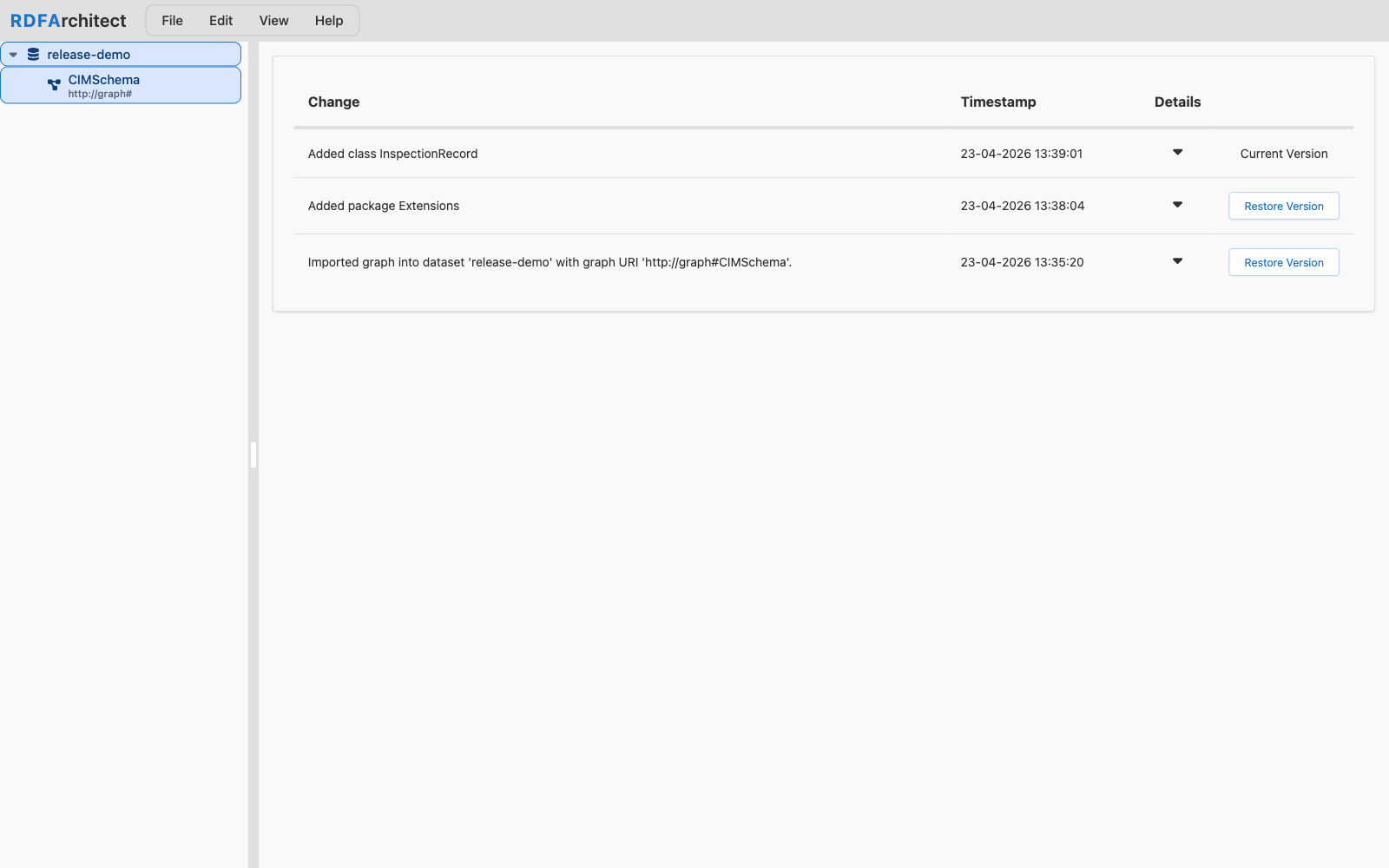
View → Changelog opens a dedicated page that lists the change history of the currently selected graph: what was added, updated, or deleted, with an inline diff for each change. The left pane groups changes by class, the right pane shows the full triple-level detail of the selected change with additions in green and deletions in red.
This is the view to use when reviewing what happened between two editing sessions, or when preparing a release note.
Restore a previous version
From the changelog you can restore the graph to any earlier point. This resets the graph to the selected state, including tracked class, attribute, association, enum entry, package, and ontology changes. Namespace tables and custom SHACL are not part of the undo/redo history.